

Quick Start
The fastest way to get started is by using our template next-15 repository. Run the following command and follow the instructions to create a new mini app. For cleanliness we recommend usingpnpm as your package manager.
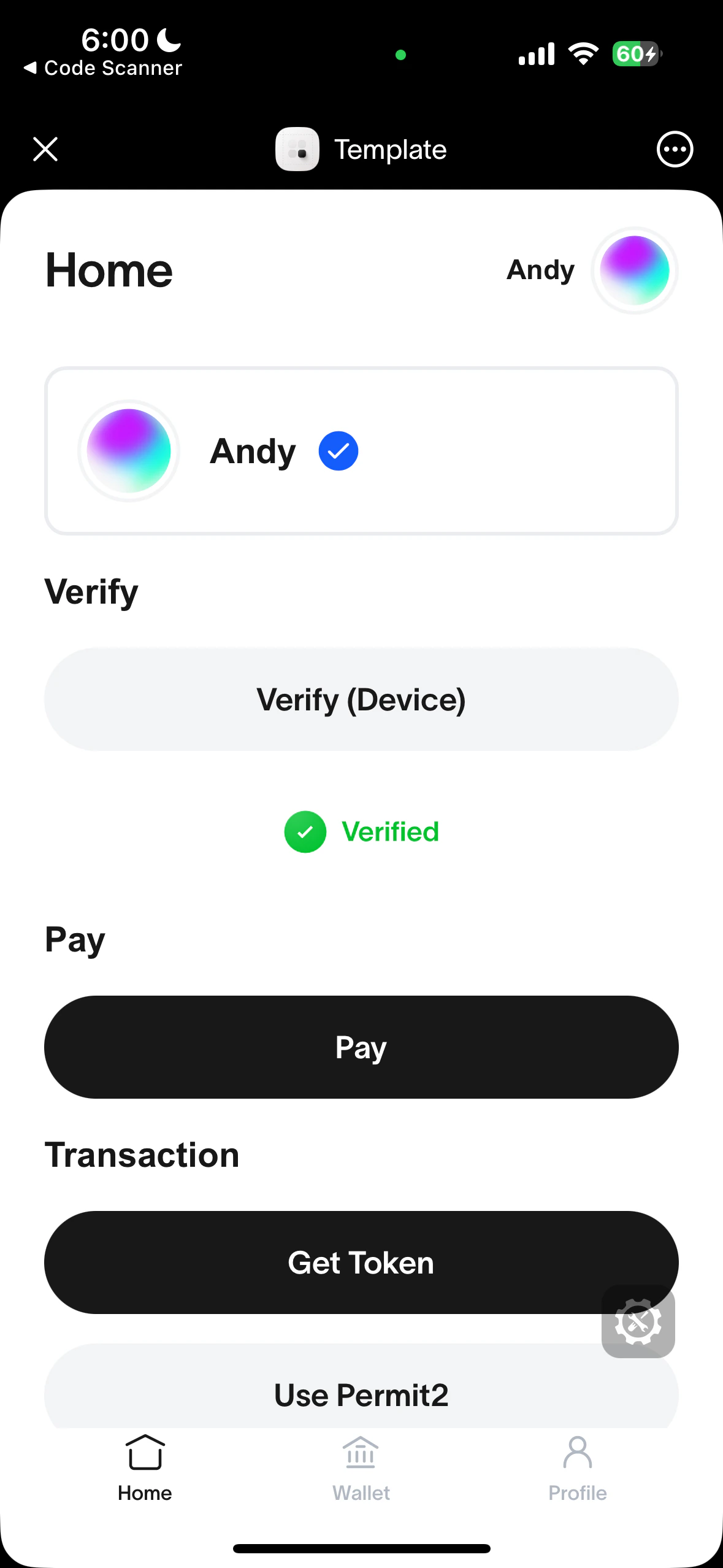
Correctly running template should look like this
Manual Installation
MiniKit-JS is the core library and is framework agnostic. Install it withpnpm, or use a CDN like jsdelivr for inline HTML. Replace [version] with the release you want to load.
Usage
- Wrap your app with
MiniKitProviderin a client component. This initializes MiniKit and makes it available throughout your app.
src/app/providers.tsx
src/app/layout.tsx
- Check if MiniKit is installed.
MiniKit.isInstalled()will only return true if the mini app is opened and initialized inside the World App. This is useful to distinguish between a user opening your app in the browser or in the World App.
Build with AI
We have generated a llms-full.txt file that converts all our documentation into a single markdown document following the https://llmstxt.org/ standard.Template Repositories
The following template repositories are also available:- Vanilla JS (using a CDN) template (featuring a simple backend for verifications),
- Community example - Wallet Auth using JWT.
- Community example - Wallet Auth using NextAuth.
Watch a video tutorial here.